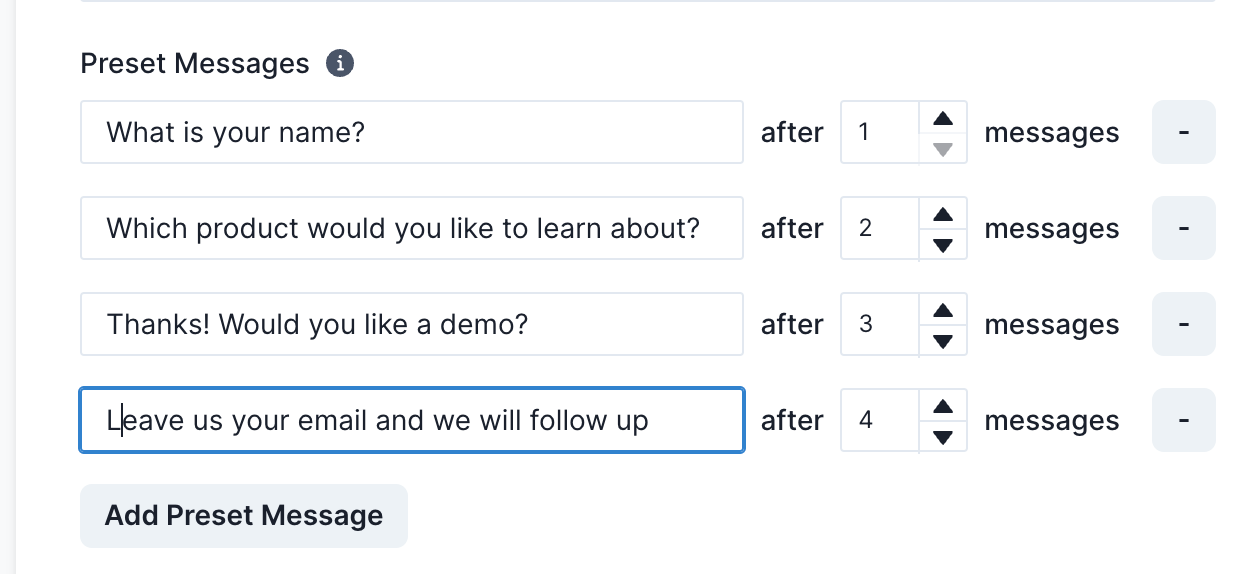
Use your chatbot to generate lead generating sequences.
A leads generation chatbot would usually ask the site user a series of questions to be able to gather enough information about the site user before asking for their contact.
To set up the leads generating sequence, we recommend that you use the feature known as “Preset Messages”.
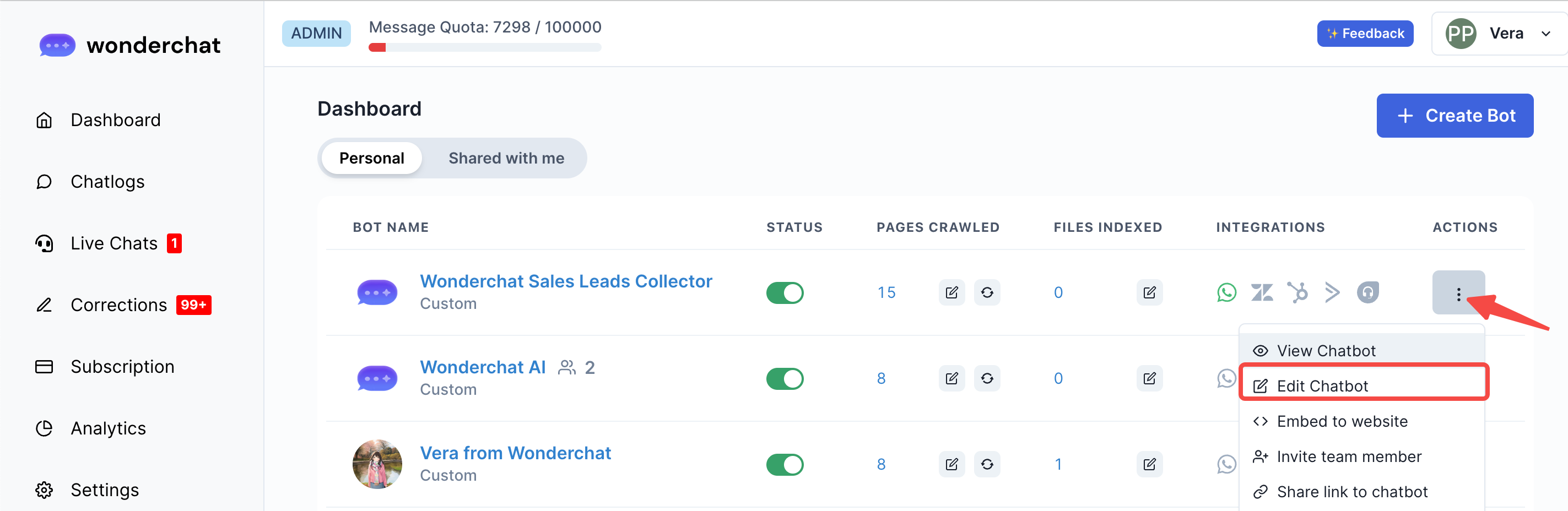
- To set-up this feature, go to Dashboard > Edit Chatbot
- Scroll down to Chatbot Message Settings
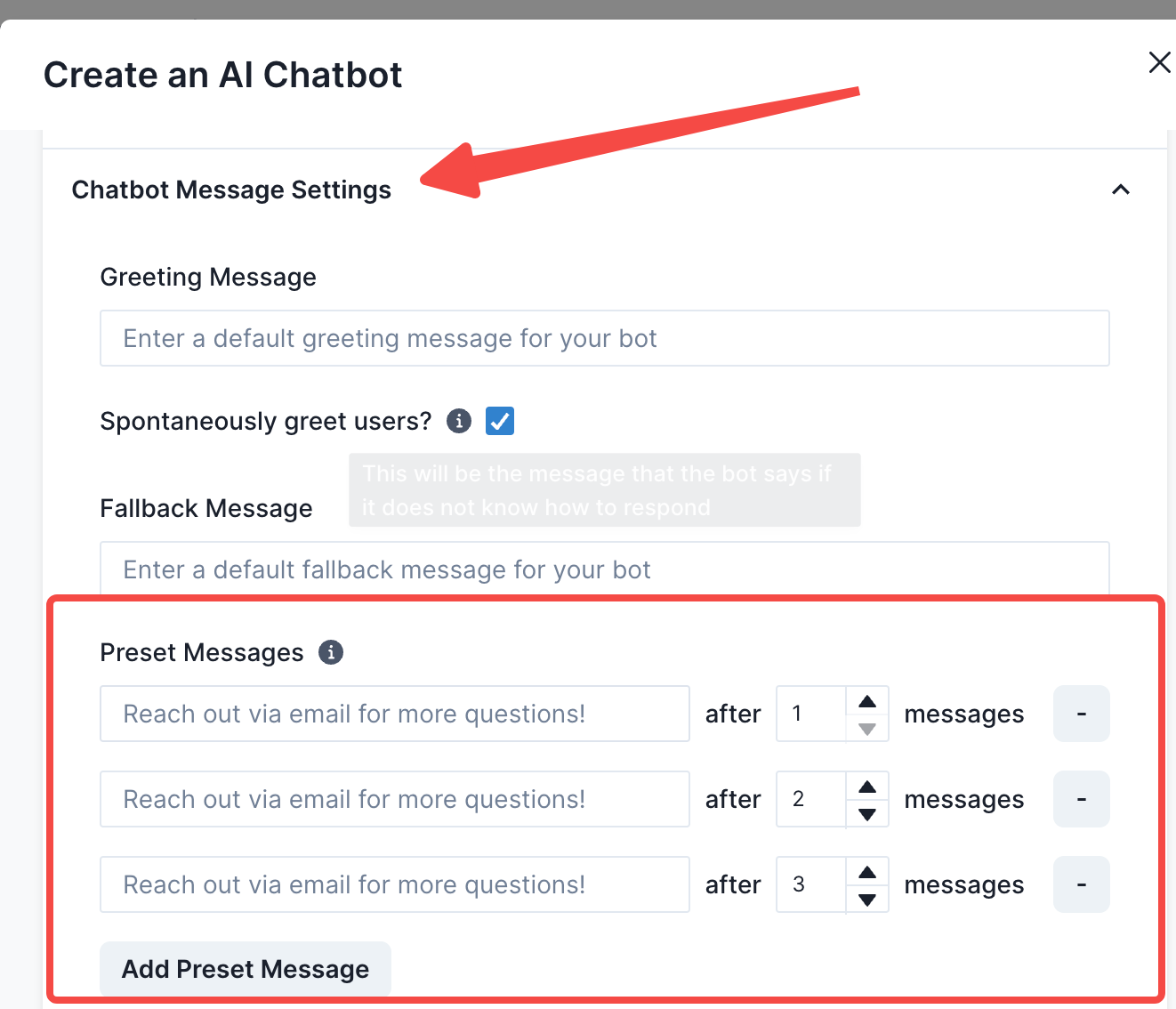
- Add your leads generation question sequence
- This question sequence are questions that you will ask in your forms to qualify your leads
- At the end of the question sequence, you can ask for your users to leave their emails so that you can follow-up with them.
- Specifying after “N” messages would mean that the chatbot would initiate the preset messages after a user has sent N messages.
- Using preset questions, you can then direct a user towards answering questions in a certain manner.