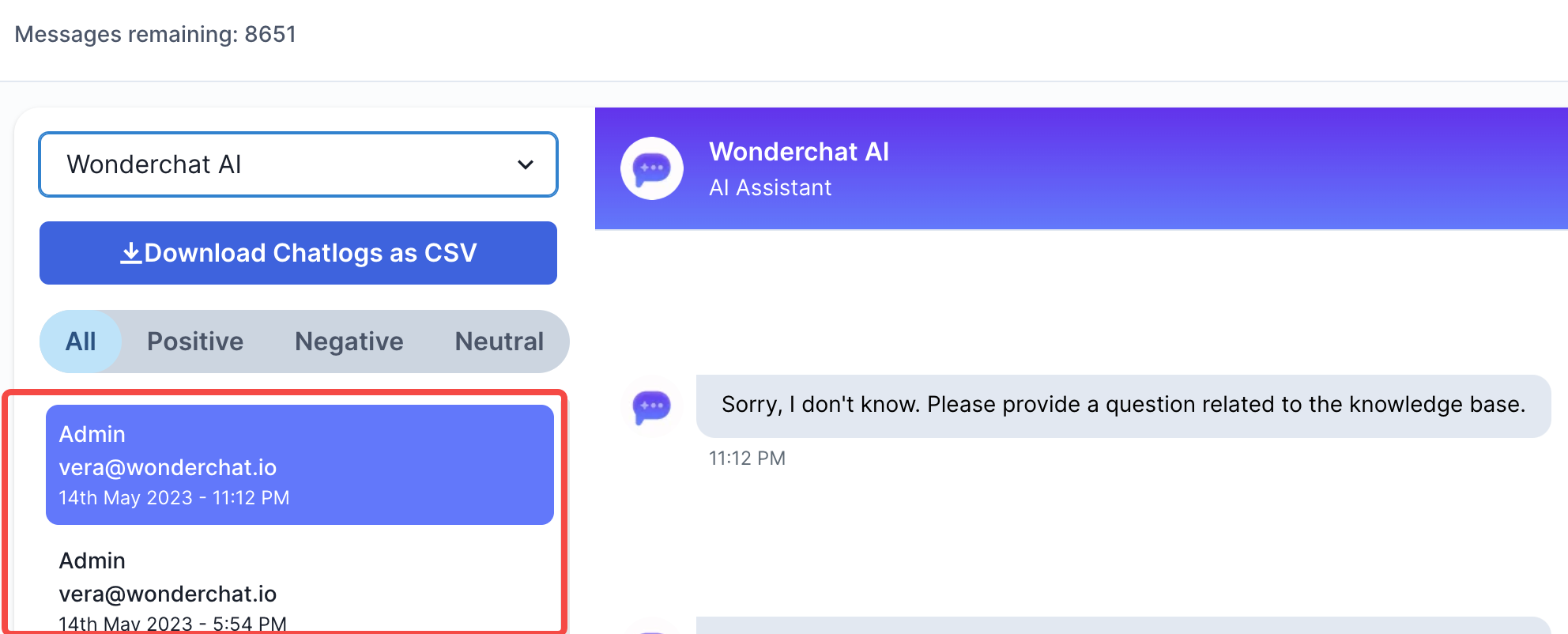
Your chatbots can be used to collect sales leads. You can enable your chatbot to collect the name and email of every user before they can start a conversation.
For EU customers, Wonderchat is compliant with the GDPR and you can read more about our Privacy Policy here
- To add enabled sales leads collection, go to “edit chatbot” or the “create a chatbot page” and scroll all the way down.
- Scroll down to the option that states “Collect Leads”
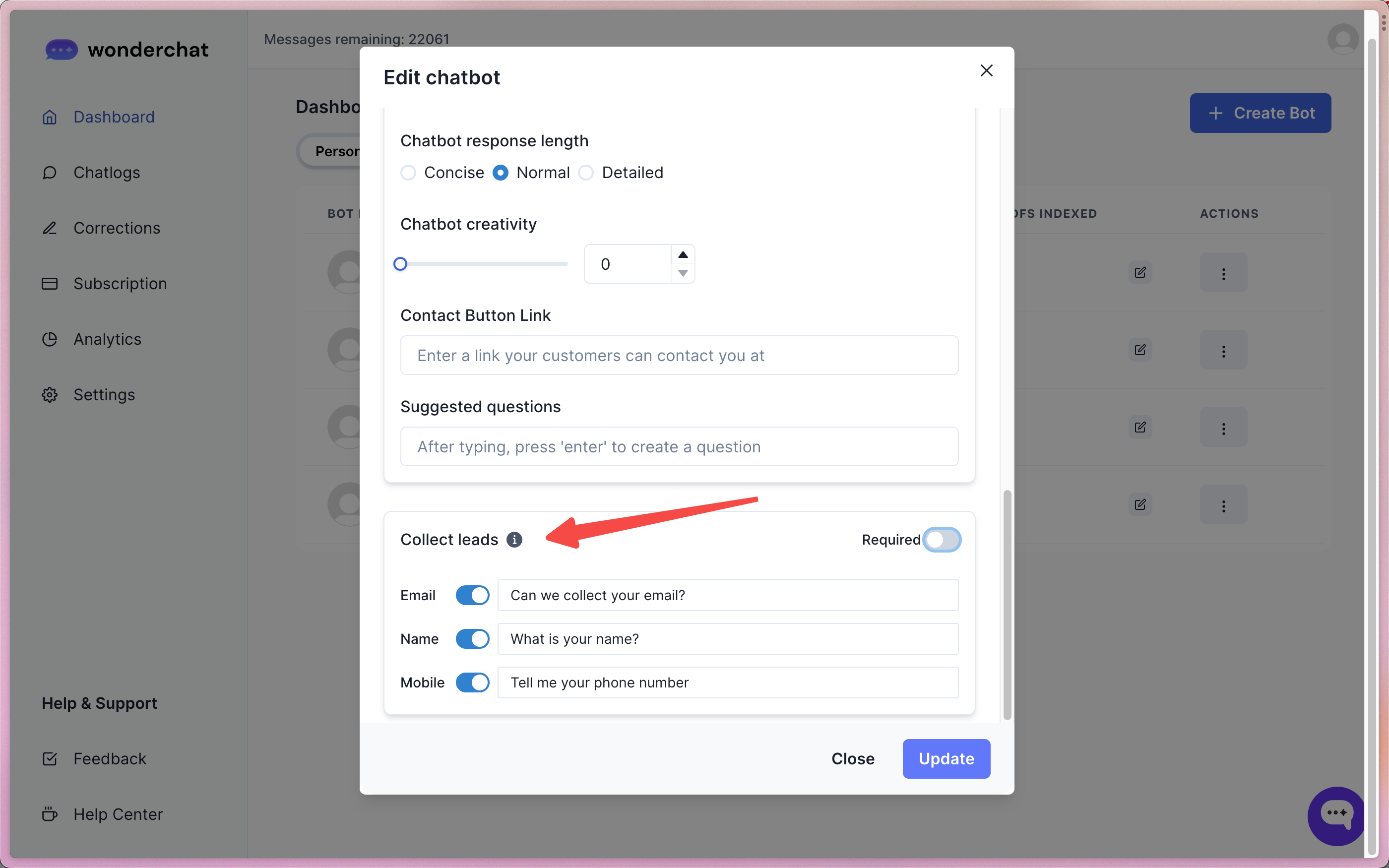
- Leads collection is optional by default (i.e. not ‘required)
- It is not mandatory for a user to fill up the chatbot information with their names and emails. Users who refuse to fill in their name and emails can still chat with your chatbot without filling in the information.
- The required switch should be on only if you want to make it mandatory for users to fill up the leads collection fields before proceeding to chat with your bot.
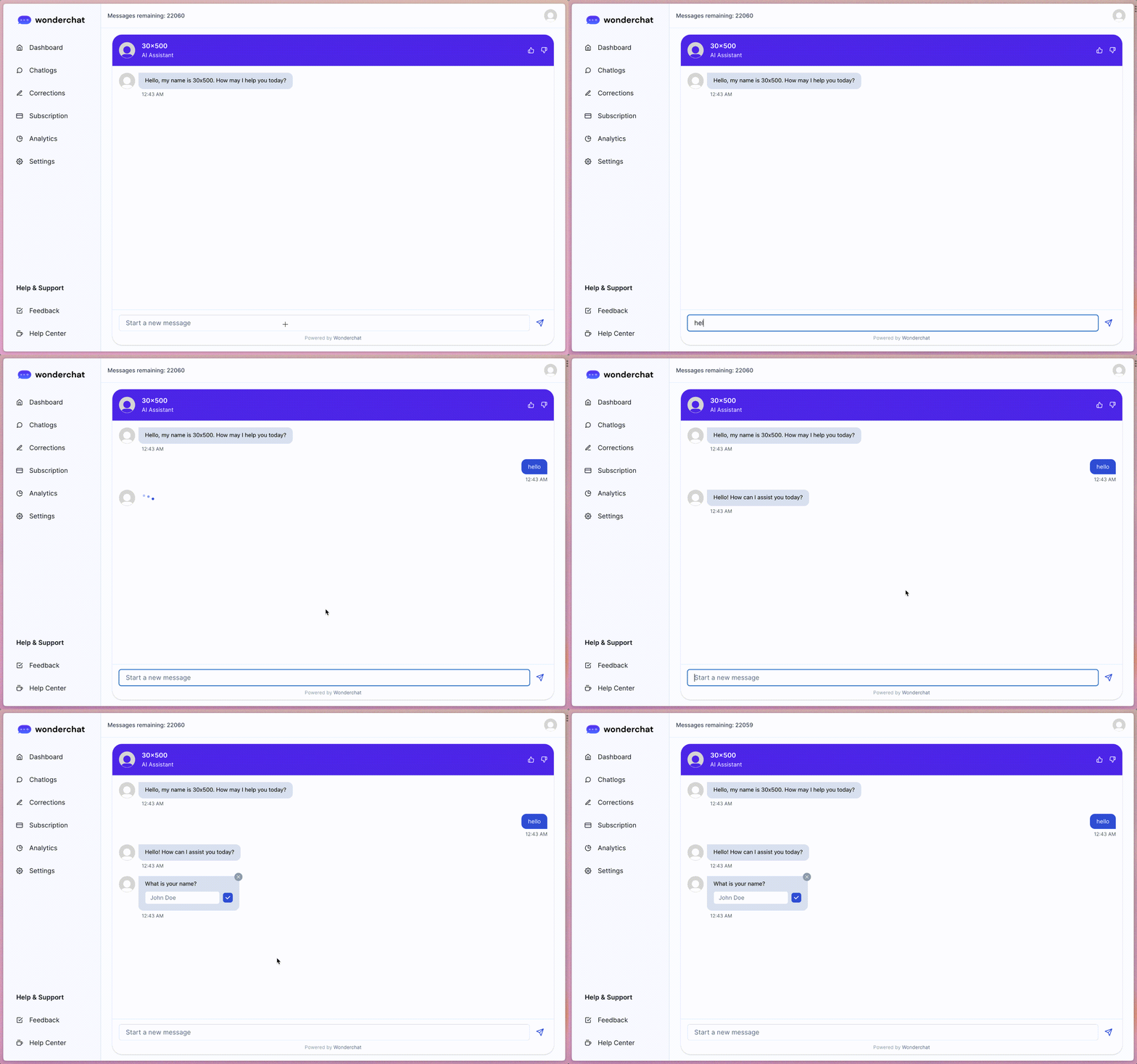
- By enabling the normal your chatbot will show the “name” and/or “email” and/or “phone number” field in the chat widget as part of the conversation with the user.
4. The names, phone numbers and emails of the users will be reflected within the chatlogs