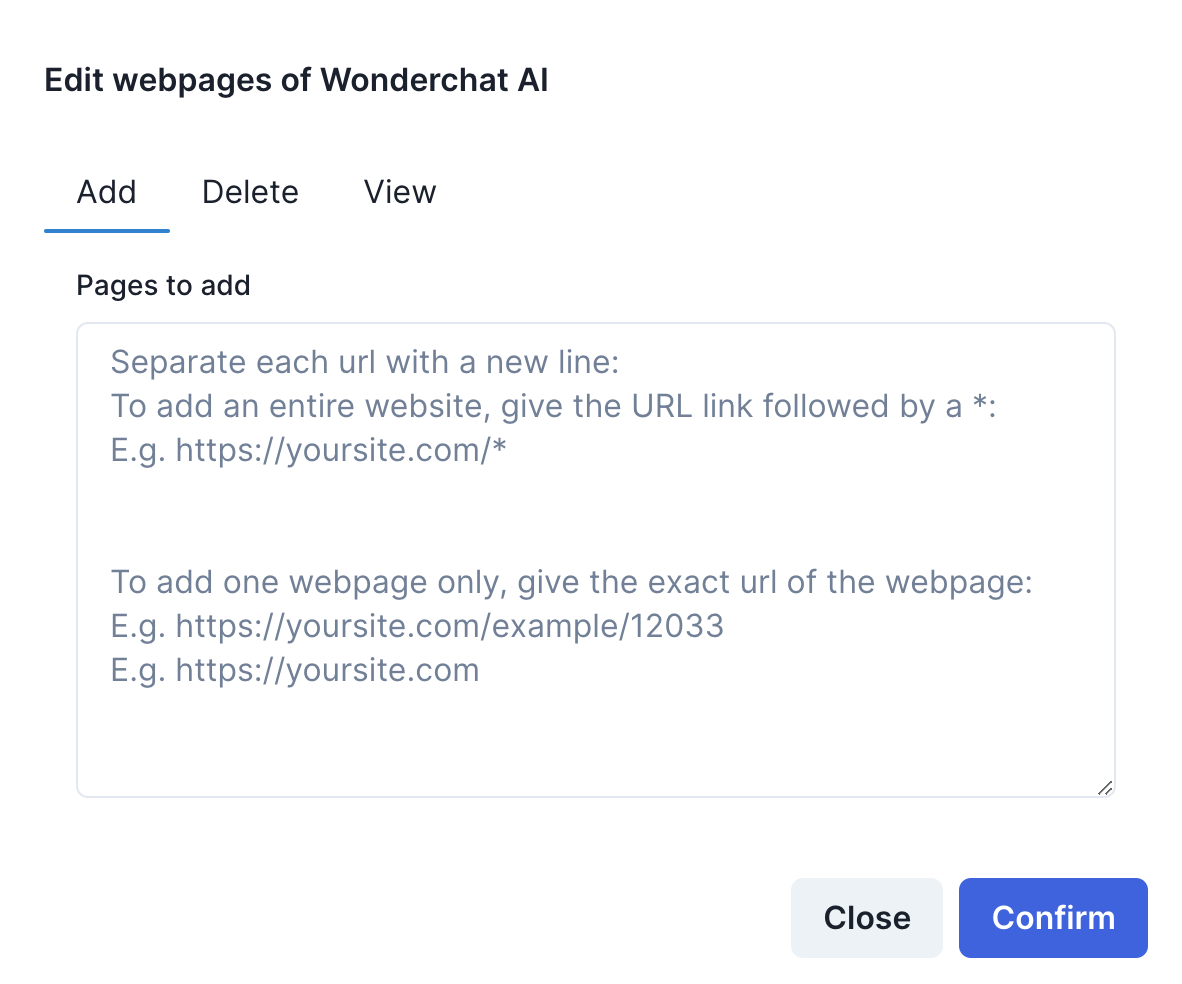
Wonderchat allows you to create chatbots that store knowledge from not just your PDF files but also your website links.
To fully leverage this feature, you can add either entire websites on top of your chatbot that was initially built on PDF files, vice versa.
For users who have built their initial chatbots on sitelinks
If you’ve initially built your chatbots on website links and would like to add PDF files as your secondary knowledge base, you can follow these steps
1. Click on the edit button under the “Files indexed” column
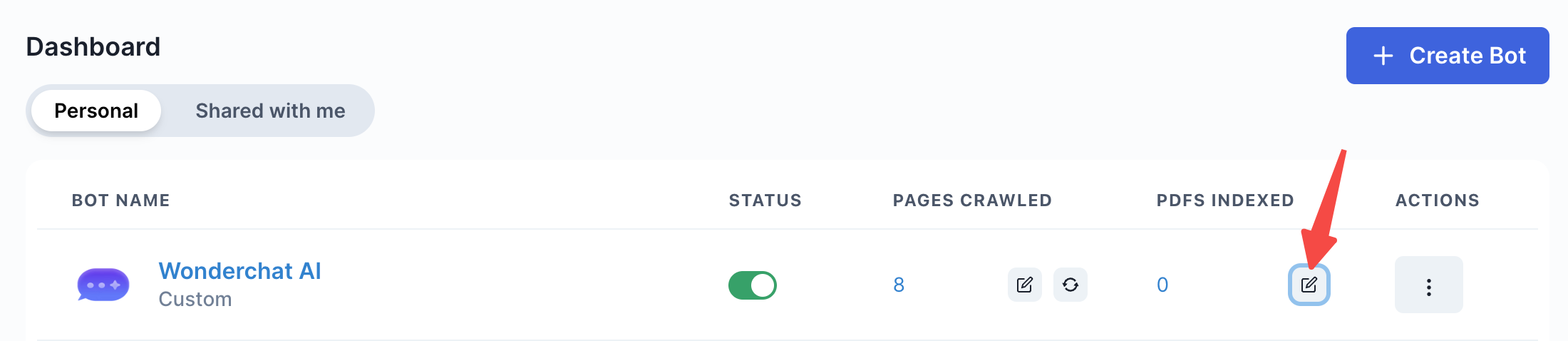
2. Add any number of Files of your choice
- You can see this pop-up screen below which will enable you to add any files of your choice
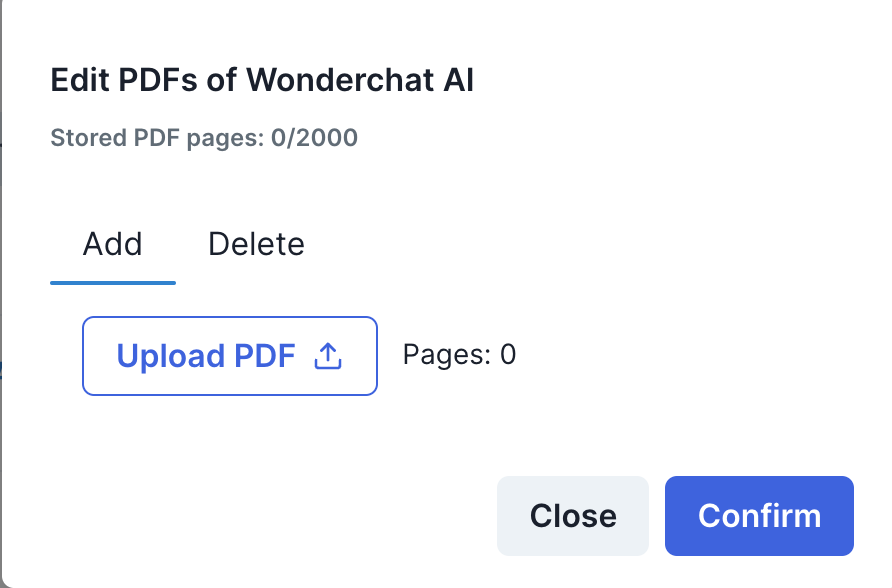
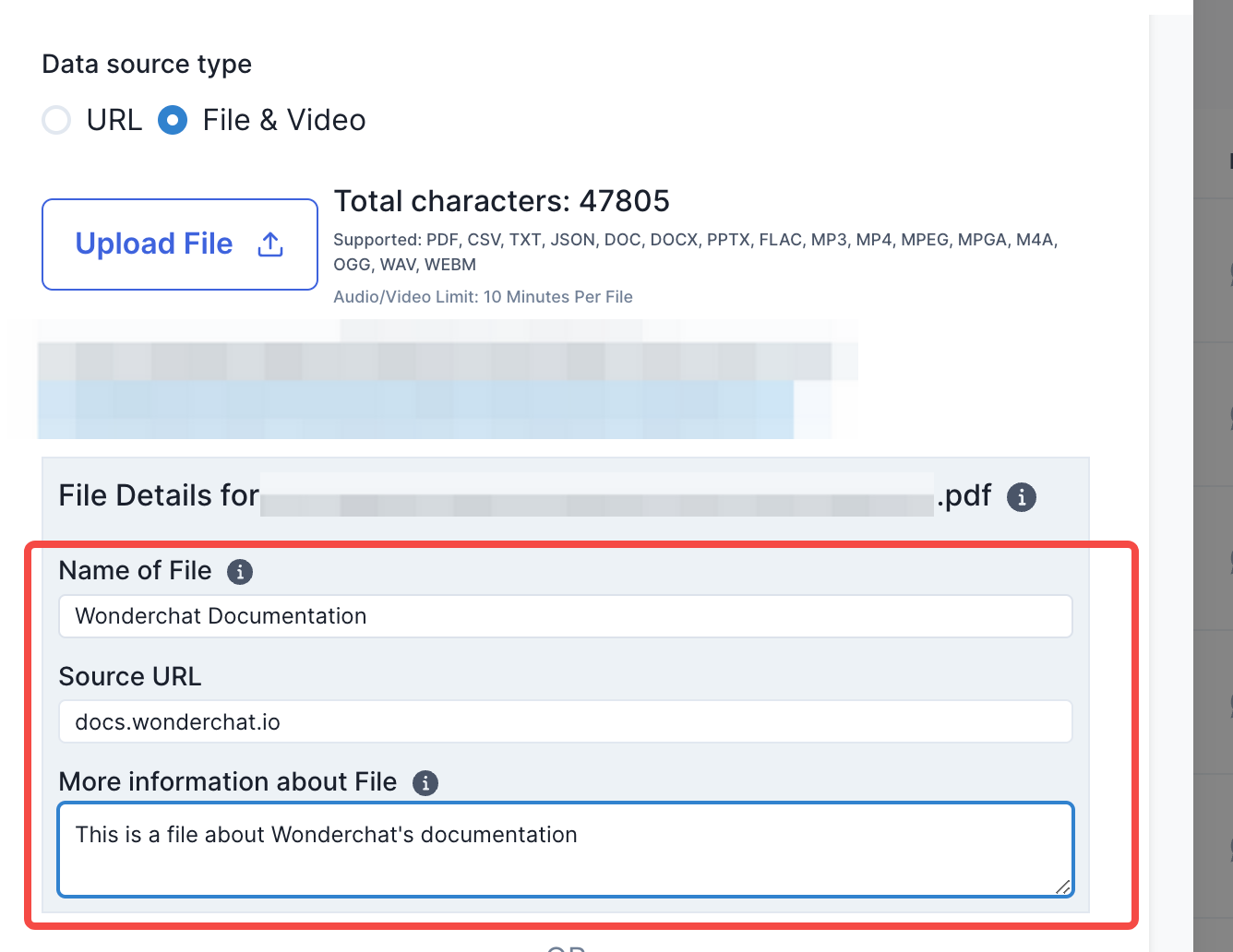
- Upload any files of your choice
- Include a brief description for the data uploaded for the chatbot to be able to search data more accurately from the file
For users who have built their initial chatbots on PDF files
If you have built your initial chatbots on files and wish to add a website into your knowledge base, you can follow these steps:
1. Click on the sitelinks edit button that is available from your existing chatbot with pages already stored.
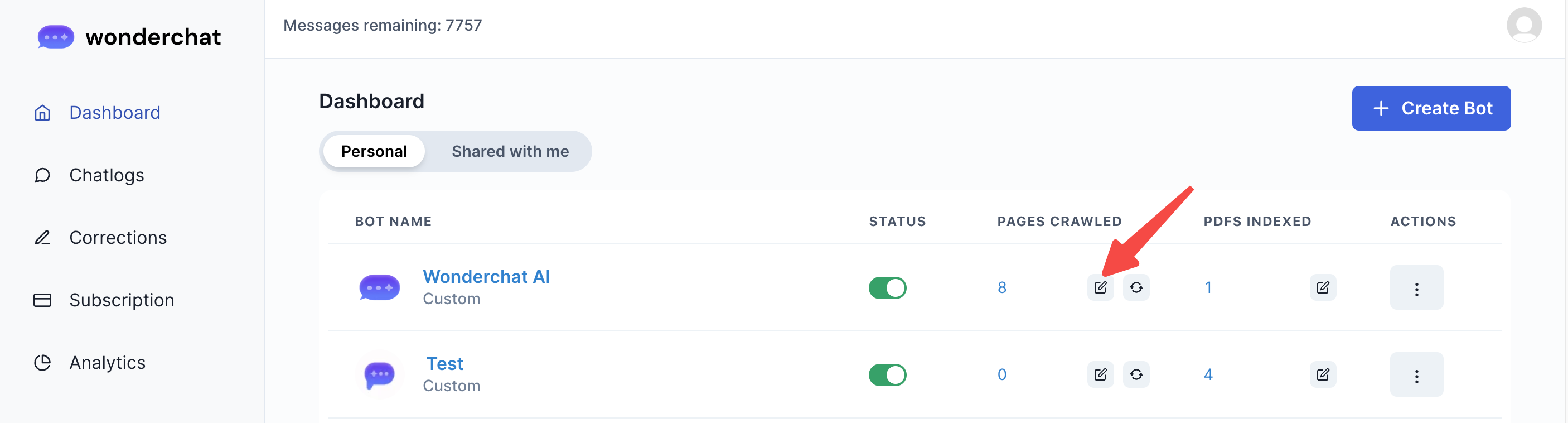
2. Add any website links of your choice
- You can see this pop-up screen below which will enable you to add any website links of your choice
- You can view our guide below to read a detailed explanation on how to add and remove webpages from your website.