You can now set-up quick questions as a means to instantly suggest questions to ask for your chatbot.
- To setup, go to the Dashboard > Edit Chatbot > General Settings menu and key in your quick questions within the ‘suggested questions’ label as shown
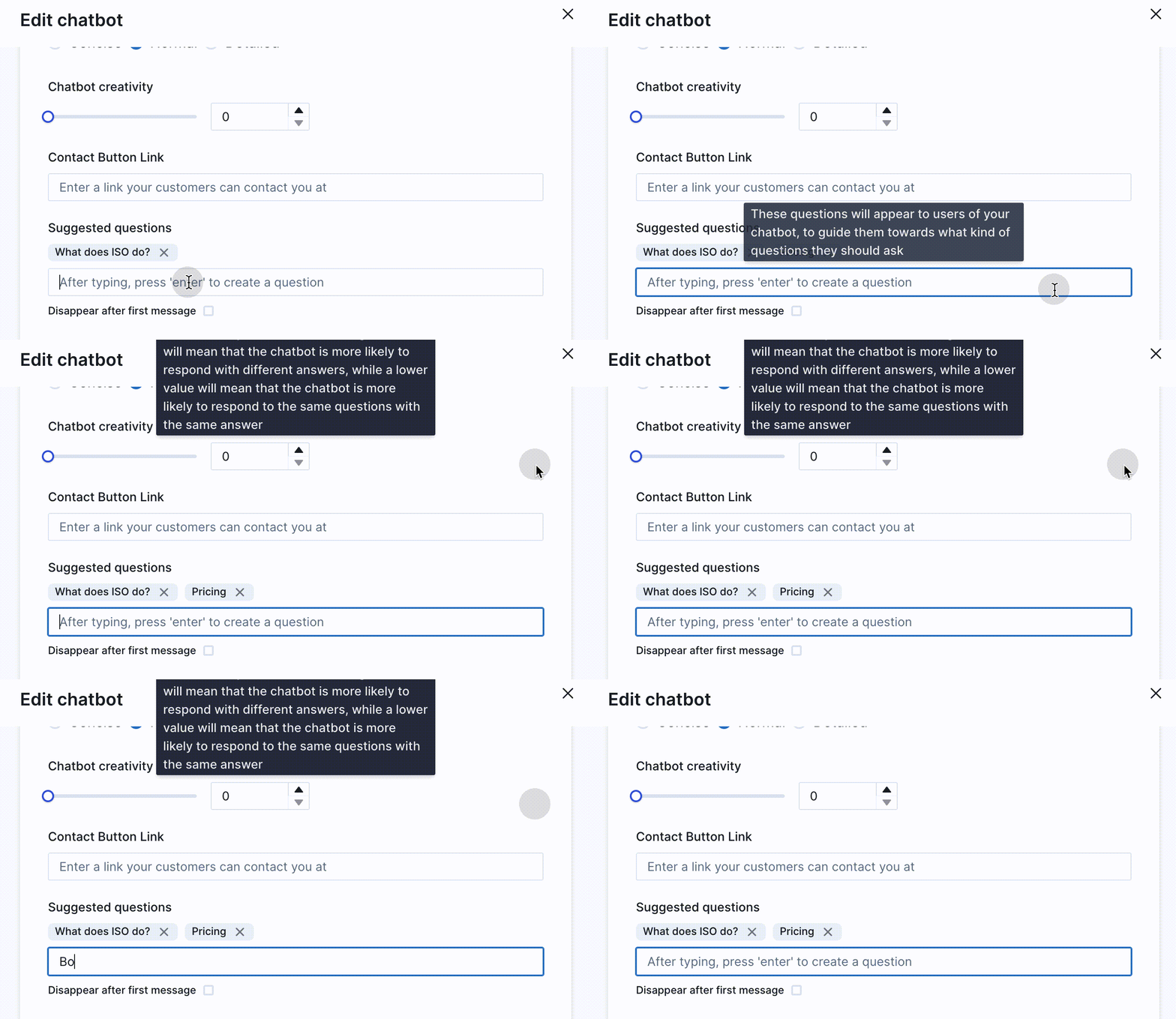
- Press on enter to submit the questions as suggested questions
- Click on Save or Update
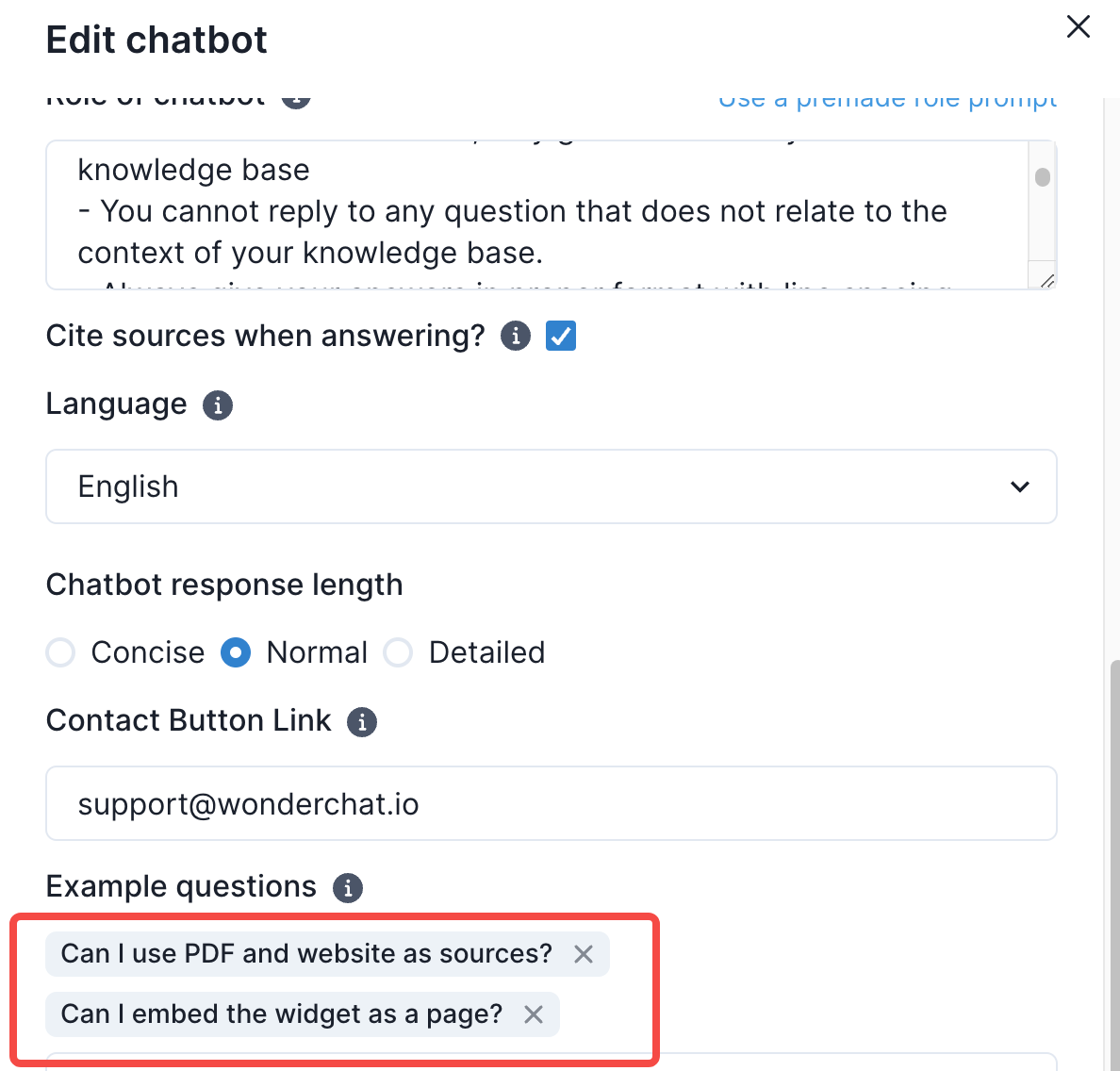
- See the quick questions pop up on your chat widget