This guide informs you how you can integrate your chatbot with calendly in a few simple steps
- Go to your dashboard and click on “Edit Chatbot” within the dropdown menu
- Navigate to the Leads Collection Settings > Enable Calendar Bookings to turn on the calendly booking feature
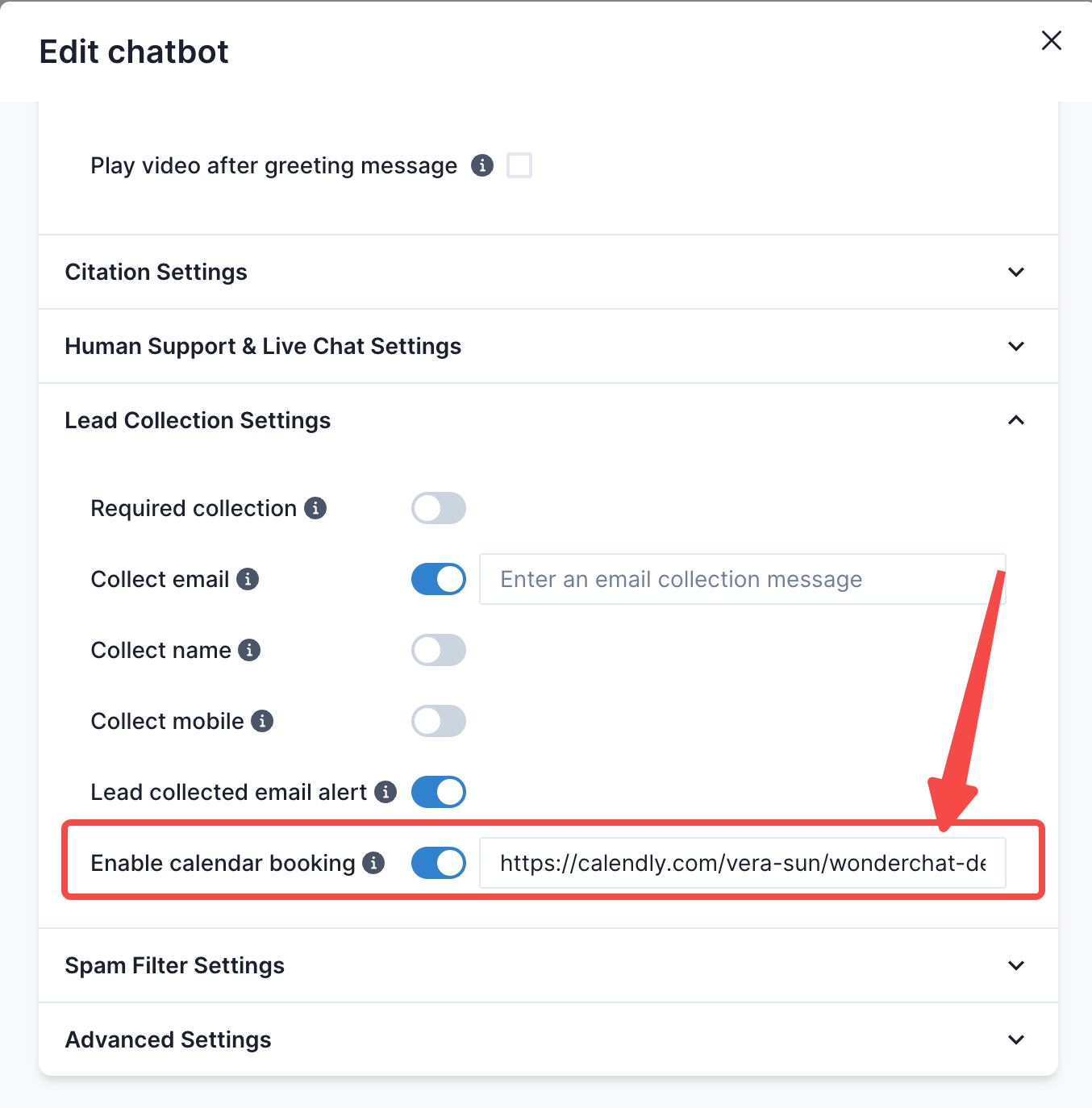
- Attach a publicly available calendly link and click on Update Chatbot
- Upon update, your users would be able to see a “Book A Meeting” button within the chatbot and to subsequently book a meeting with the owner of the calendly chatbot
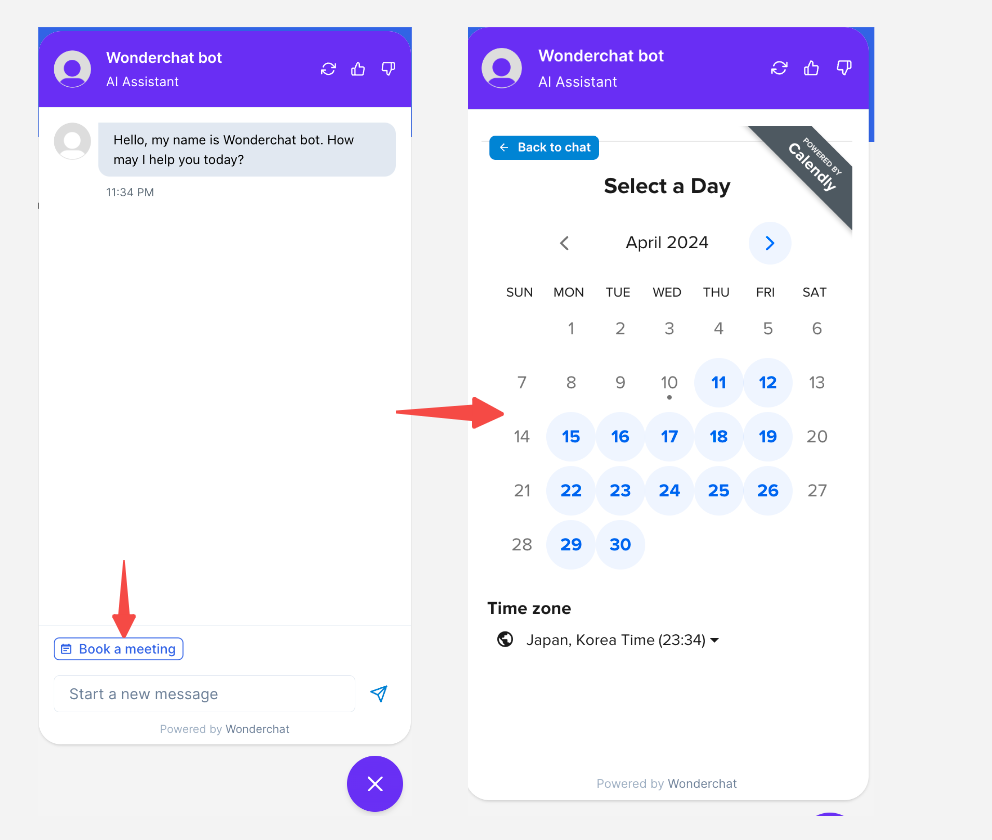
- Once a user selects, a date, they can enter their information and book a calendly as though they are booking through your webpage