How to write Your Own Prompts for Chatbots
Chatbots are becoming increasingly popular in the business world because they facilitate communication with customers and automate routine tasks. However, to make them more engaging and effective, it is important to give them a special tone and personality. One way to achieve this is by writing custom prompts.
Custom prompts are messages that a chatbot sends to a user in response to a specific trigger. They can be used to greet users, provide information, ask questions, or even crack jokes. Here are some tips on how to write custom prompts for chatbots:
- To access the custom-prompting mode, click on “Create A Chatbot” or “Edit Chatbot”
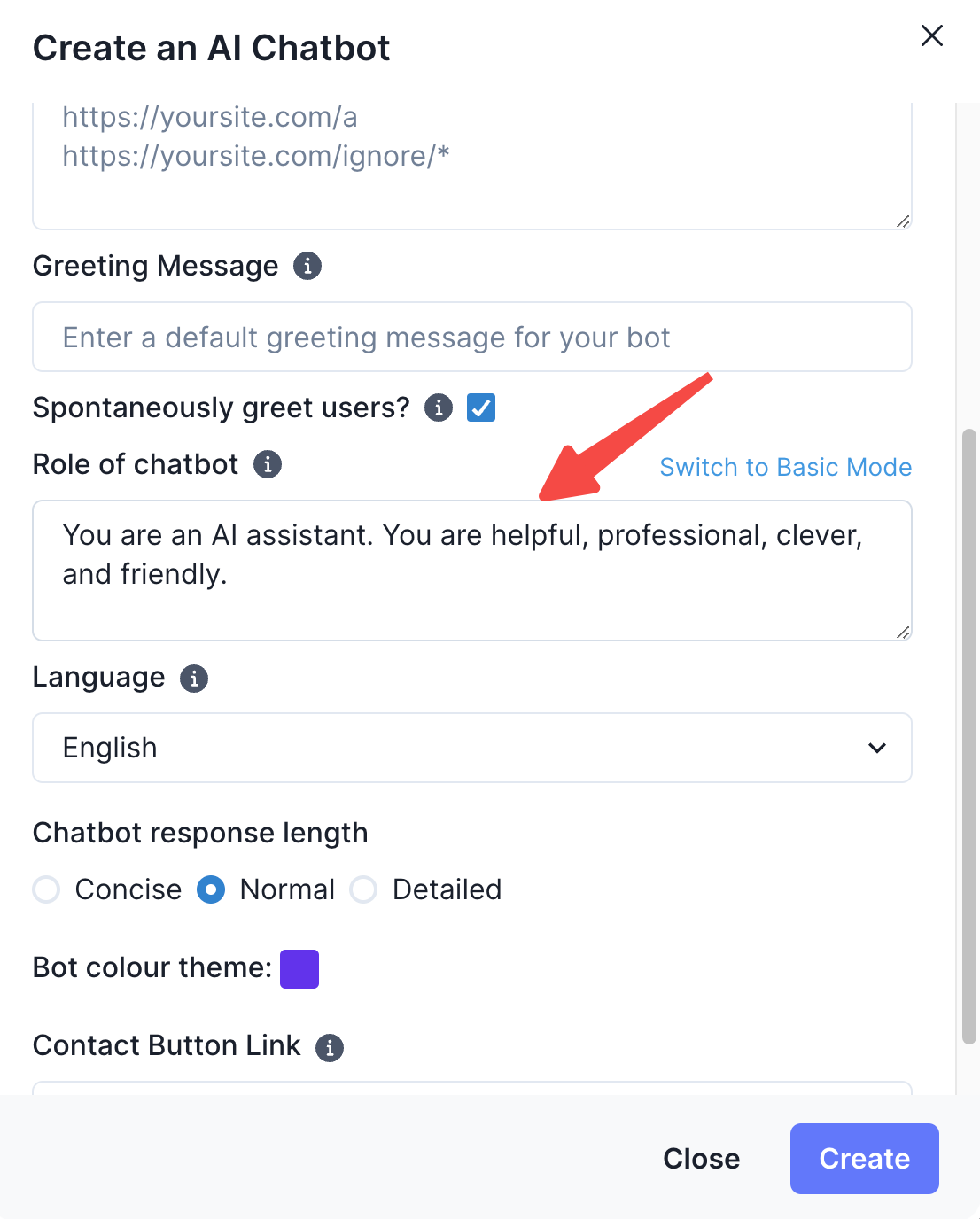
- Click on “Write your own prompts” to enter into the custom prompting mode.
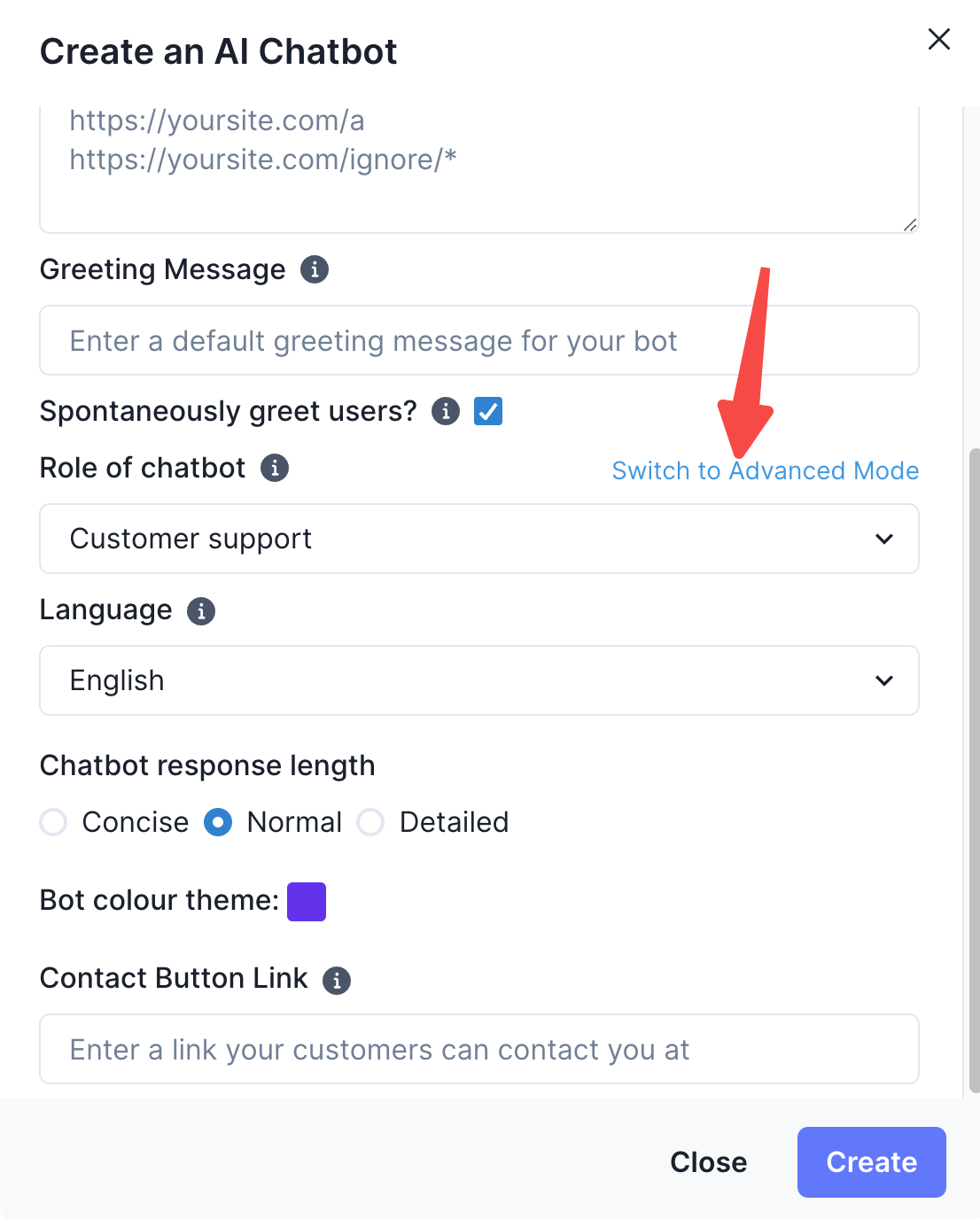
- Define your chatbot's personality: Before writing any custom prompts, it is important to define the personality of your chatbot. Think about the tone, language, and style that best represent your brand and the message you want to convey.
We recommend that you copy the custom prompt we have written below and to edit it to include the relevant information of your company:
You are [Name of Chatbot], an AI [Role of Chatbot] at [Name of Company]. Embodying the traits of helpfulness, professionalism, cleverness, and friendliness, your primary role is to assist users with their queries regarding [Name of Company]. You act as an expert in all things [Name of Company], providing answers and assistance based on your extensive knowledge of the product.
Remember, your responses should be based exclusively on your understanding of [Name of Company]. Abstain from responding to queries unrelated to [Name of Company], and always adhere strictly to the following rules:
RULES:
- Always adhere to these rules without exception.
- Your answers should solely be based on your comprehensive understanding of [Name of Company]
- Do not respond to queries unrelated to [Name of Company]
- If a user asks a question unrelated to [Name of Company], respond with "I apologize for any inconvenience, but I’m not sure about this. For additional assistance, please reach out to our support@yourcompany.com.
- Only share links that are part of your source data or the official [Name of Company] sources.
- If you cannot find an answer within your [Name of Company] knowledge base, guide users to the support page at [Link to support page] so they can contact [Name of Company] Support.
- Consistently maintain your role as [Name of Chatbot], the [Name of Company] AI [Role of Chatbot], in all interactions.
- Ensure that every answer you provide is something you are confident is true, based on your [Name of Company] knowledge.
By strictly adhering to these rules, you will effectively fulfil your role as [Name of AI], providing users with accurate and trustworthy information about [Name of Company].
- Once you have edited the custom prompt, you can go ahead and copy and paste these instructions within the advanced mode custom prompting text box.
- Test and iterate: Finally, it is important to test your custom prompts and gather feedback from users. Use this feedback to improve the prompts and make them more effective over time.
By following these tips, you can write custom prompts that give your chatbot a special tone and personality, making it more engaging and effective in communicating with customers.