The “Pending Corrections” tab helps a chatbot owner to identify questions posed by a user where a chatbot lacks the knowledge to answer accurately.
When does a message become a part of ‘pending corrections’?
At the moment, as long as the chatbot gives the response “Sorry, I don’t know” or if your fallback message appears, the user’s query would show up as a ‘pending correction’.
💡Did you know: Leveraging the “Pending Corrections” feature can help chatbot owners to save up to 30 minutes a day to browse through chatlog replies one by one to make corrections?
How to Use Pending Corrections To Optimize Your Chatbot Performance
- Whenever you see a red label beside the corrections tab, you can navigate to the ‘pending’ section to read through the chatlogs
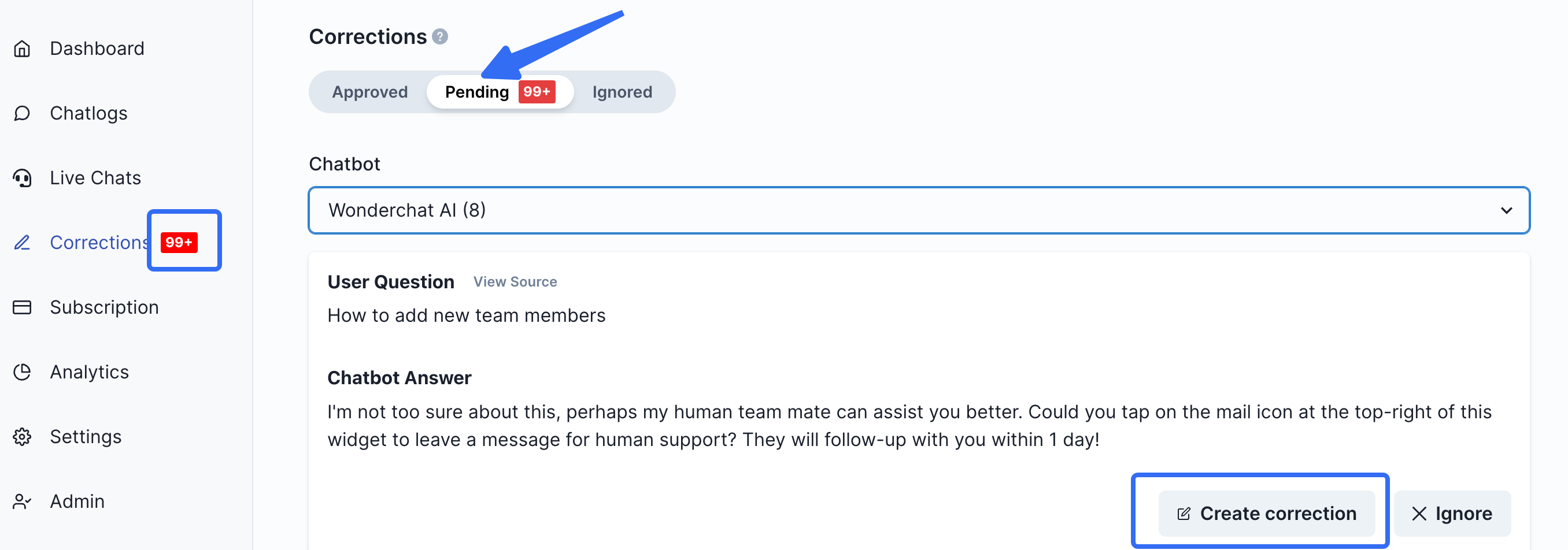
- After reading through the user queries, you can decide and evaluate between creating a correction or ‘ignoring’ the user’s query if it is unrelated to your knowledge base.
- If you decide to create a correction (shown below), the chatbot would be ‘trained’ to give the right answer the next time a user asks a similar query.
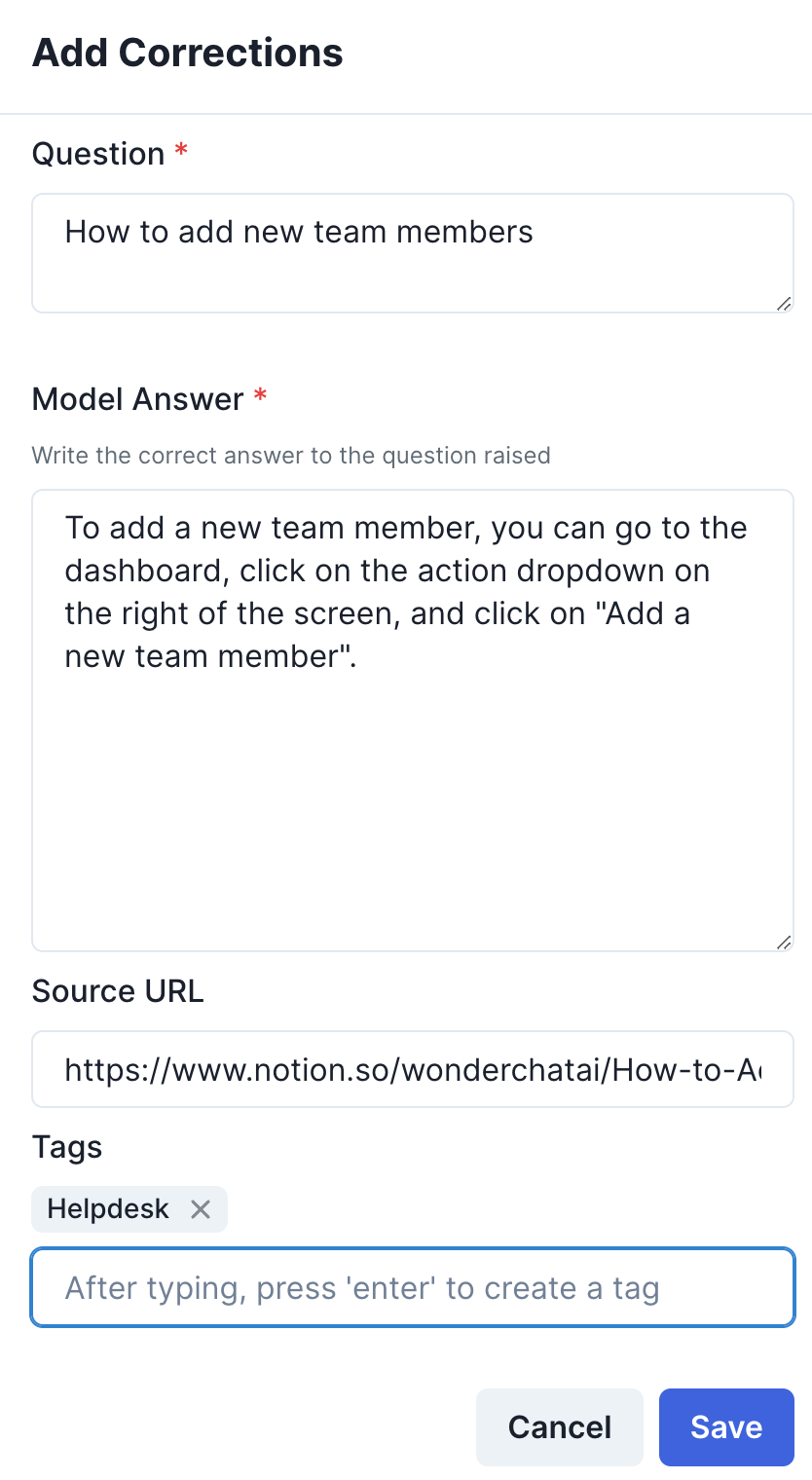
- Clicking on ‘save’ trains your chatbot to give better responses for the future.