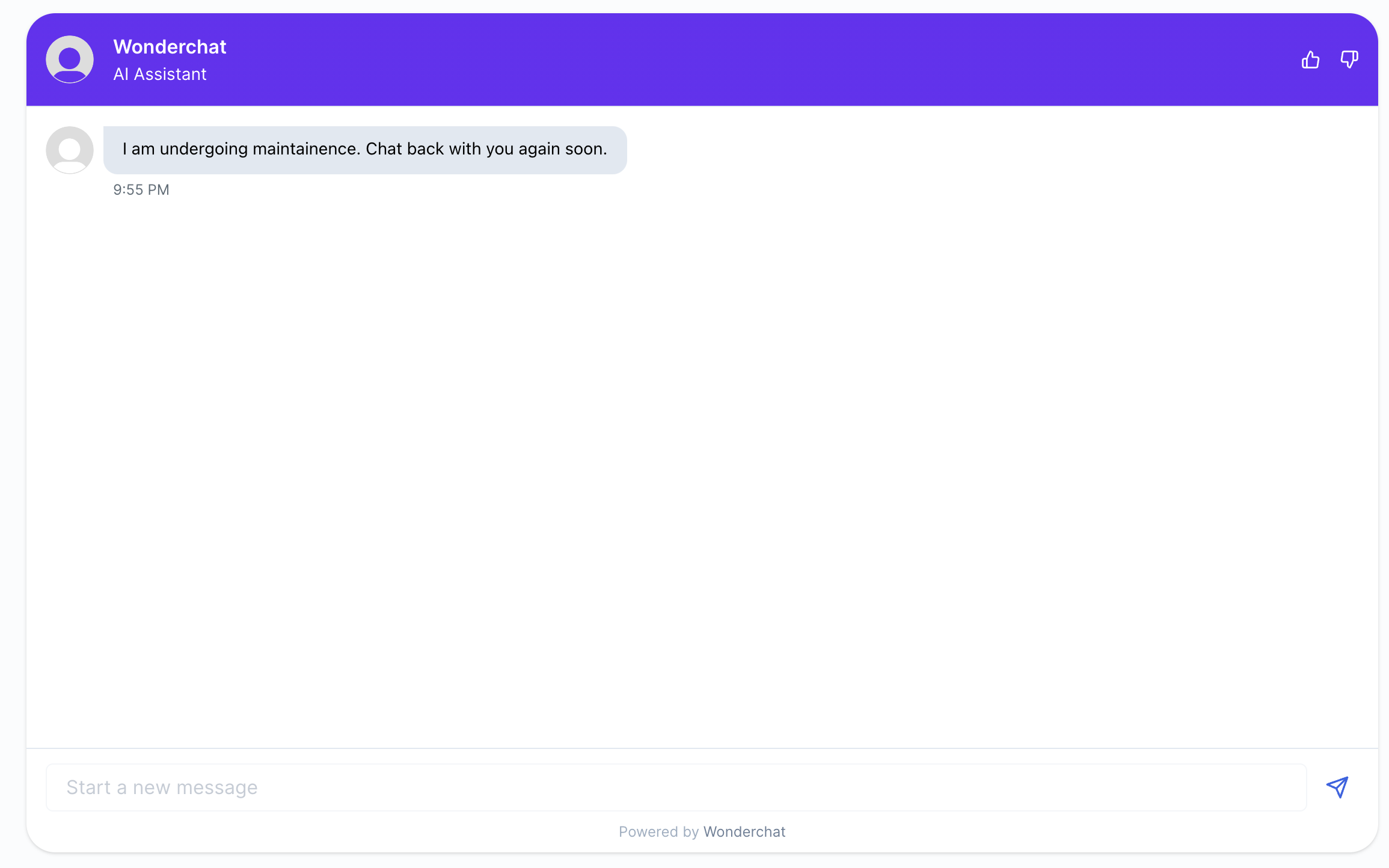
You may have a chatbot that you want to put under repair. Putting it under scheduled maintenance disables your website users from interacting with your chatbot temporarily.
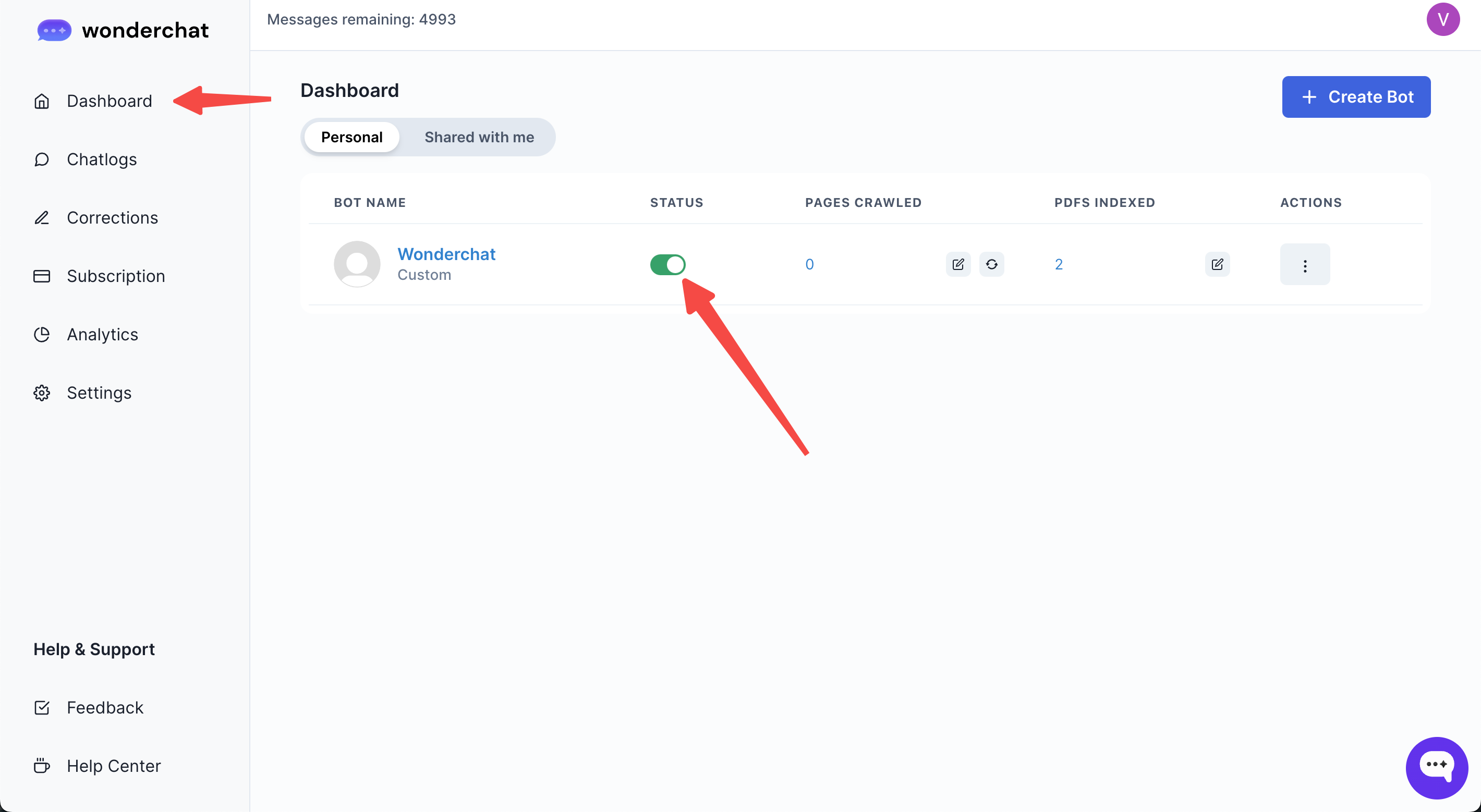
Step 1: Go to your Dashboard and click on the switch under the “Status” column
- Open your Wonderchat account and navigate to your “Dashboard” page
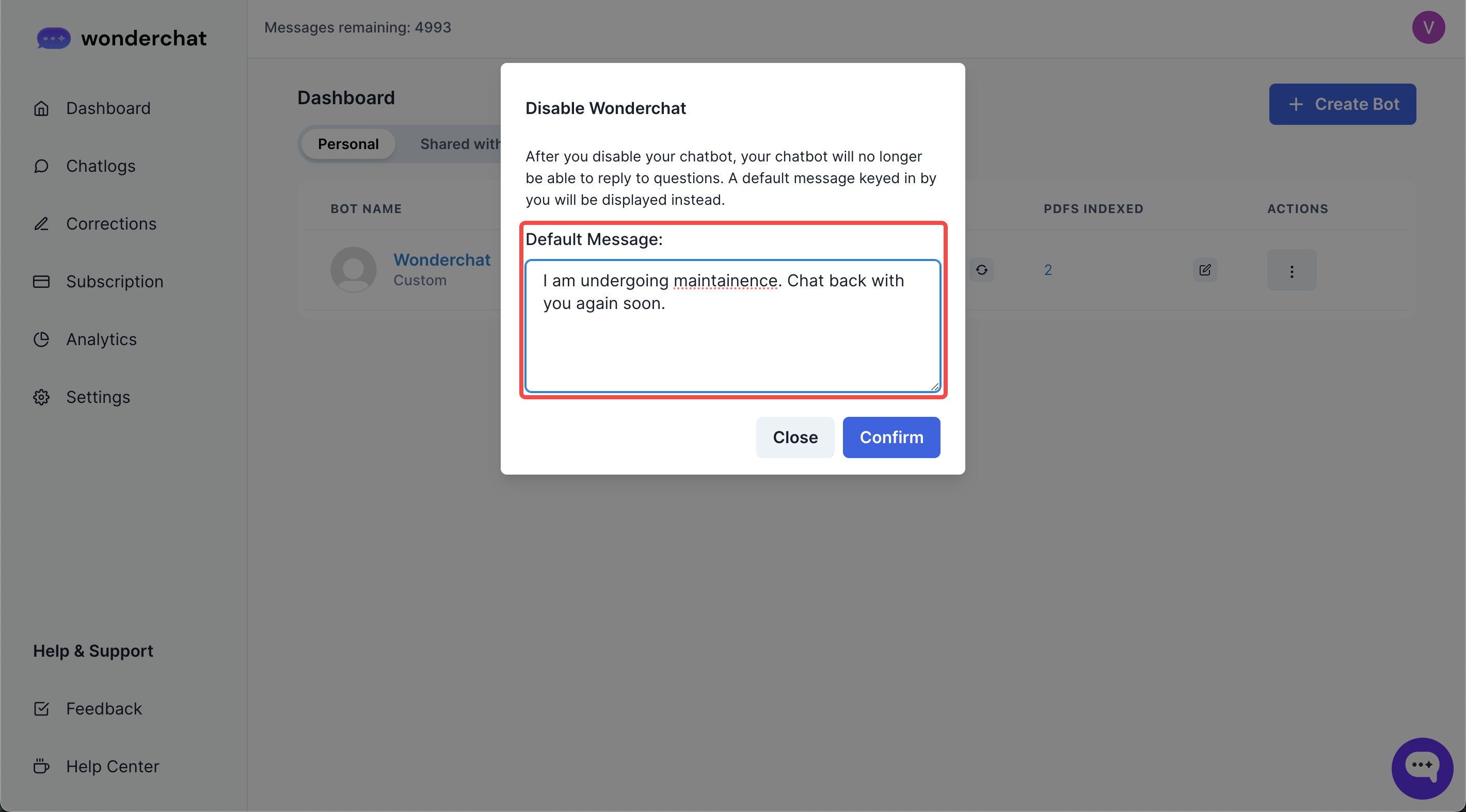
Step 2: Enter your maintenance message
- Enter a maintenance message which would be displayed to your website users who may try to interact with your Wonderchat bot.
- Click on confirm
- Upon confirmation, your chatbot would display a scheduled maintenance message to users who attempt to interact with it