Your website may be available in multiple languages. Sometimes, you don’t have enough chatbots to dedicate one chatbot for every language. Fret-not we’ve designed Wonderchat to be multi-language friendly! We’ll show you exactly how you can use one chatbot for your site in every langauge.
- Set your chatbot language to be in English, which is the catch-all language.
- Navigate to your dashboard and click on “Edit Chatbot”
- Whenever your clients speak to the chatbot set as english in their native language, the bot would respond back in the same language. For a chatbot that is supposed to serve users in multiple languages, English is the best setting (assuming the default language for the bot is also english)
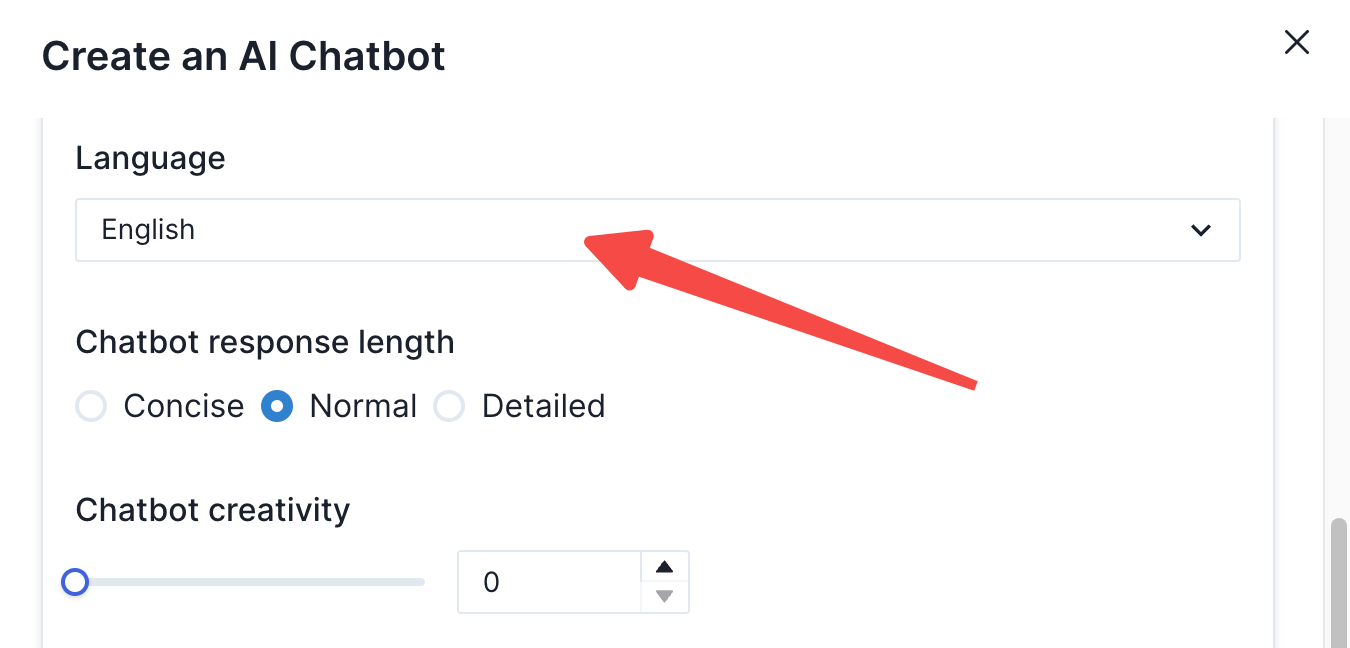
- However, if you wish for your chatbot to speak in a non-English default language, you can also switch the base language to the language of your choice.
- Change greeting message to another language
For multi-lingual websites, the way you set-up one chatbot to speak multiple language is to adjust the greeting message of the chatbot. If you are displaying the chatbot on a french based page, you can set the greeting language to be in French.
To do so, after you’ve set up your chatbot, click on “embed to website”
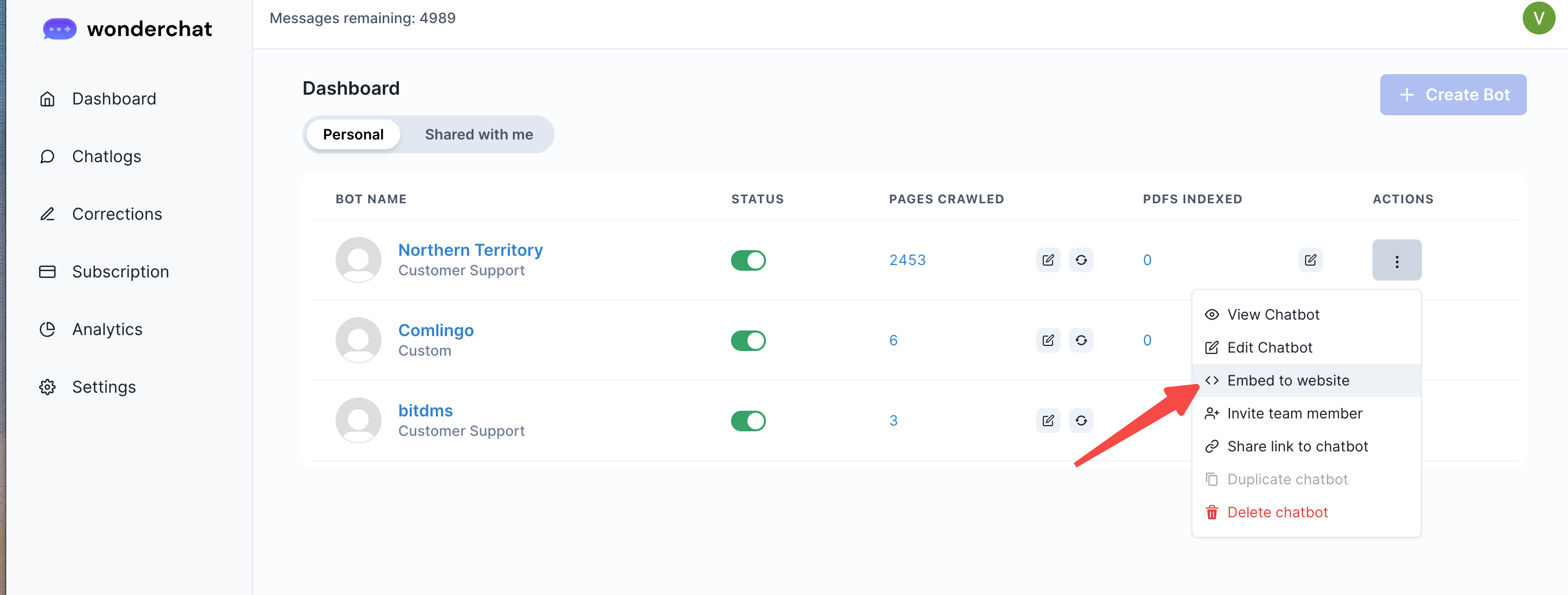
Upon opening up the embed page, you can add a ”data-greeting” parameter in the script of your embed ode to write your own greeting, which will override the greeting in the chatbot setting.
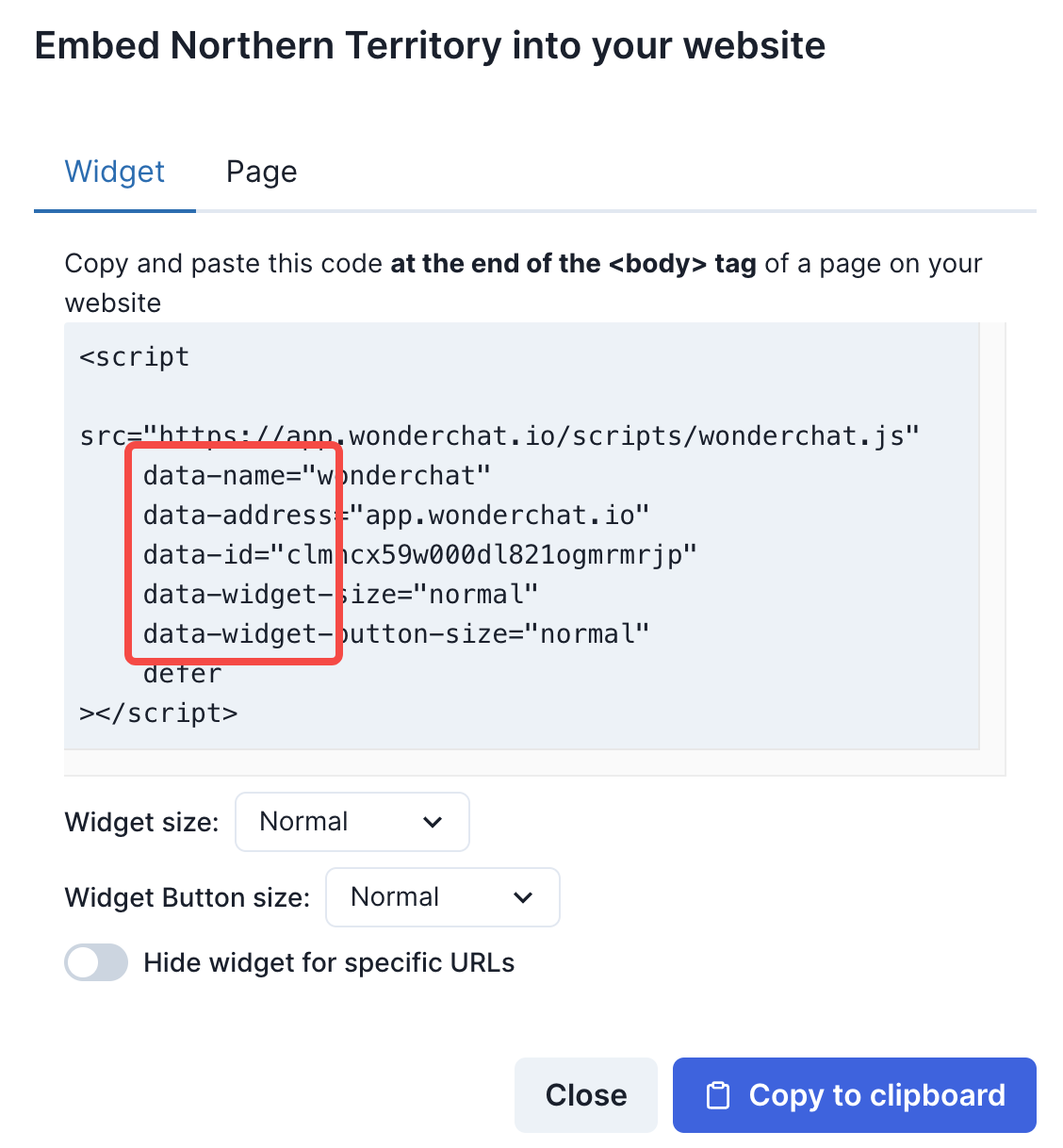
Currently, you can set a data-greeting parameter (data-greeting="Hello there!")in the script to write your own greeting, which will override the greeting in the chatbot setting. For example:
<script
    src="https://app.wonderchat.io/scripts/wonderchat.js"
    data-name="wonderchat"
    data-address="app.wonderchat.io"
    data-id="f12kfnlkjn312321flkqwjenflkqwjenf"
    data-greeting="Hello there!"
    defer
></script>

The bot will greet with "Hello there!", but if using the script:

<script
    src="https://app.wonderchat.io/scripts/wonderchat.js"
    data-name="wonderchat"
    data-address="app.wonderchat.io"
    data-id="f12kfnlkjnflkqwjenflkqw21323jenf"
    data-greeting="Bonjour!"
    defer
></script>
The bot will greet with "Bonjour", which you can switch this to whichever language in the different language domains of your website.
As long as the greeting message is displayed in the same language of the webpage, your users would be able to interact with the bot in their native language.
- Embedding onto your multi-language website
You can copy and paste the same widget code, and make edits to the parameter (data-greeting="Hello there!") to reflect in in the language of your choice