If you are purchasing Wonderchat on behalf of your business, you can enter your business registration number to be excluded from additional goods and services tax. There are two ways to be excluded from the VAT/GST charge
- During Checkout
- After Checkout
If you wish to get your VAT/GST tax filings after you have purchased your Wonderchat plan, you can do so by entering your business details into your invoice receipt.
How to exclude VAT charges During Checkout
Step 1: Login into the email that you have used to purchase a Wonderchat plan
- Make sure the email you have logged into is the one subscribed to Wonderchat.io
Step 2: Search for the title “Your Wonderchat receipt” or “Your Wonderchat Invoice”
- You should have an email with your Wonderchat invoice attached as the one shown below:
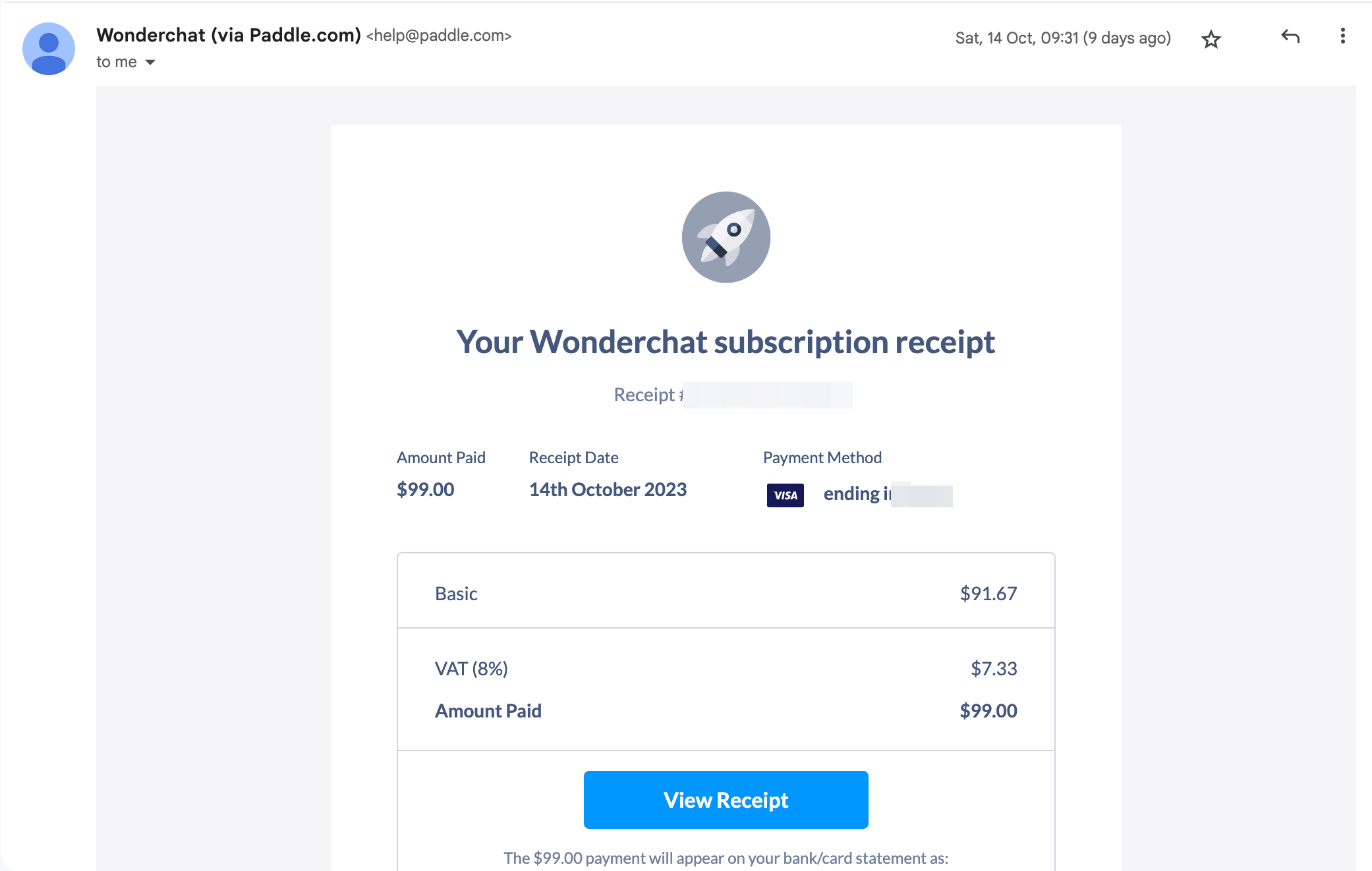
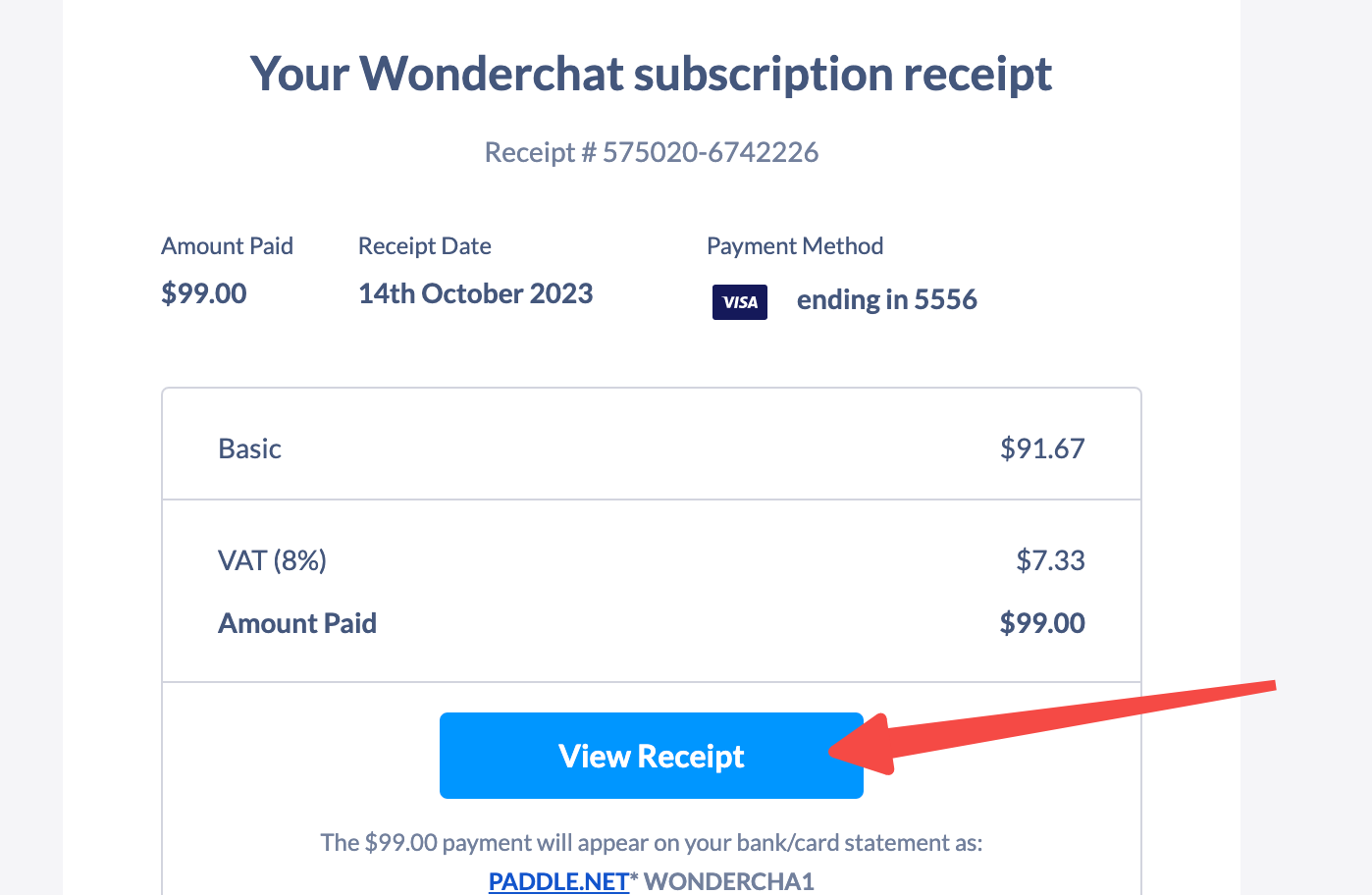
Step 3: Click on View Receipt
- Clicking on “view receipt” enables you to view the receipt with your purchase
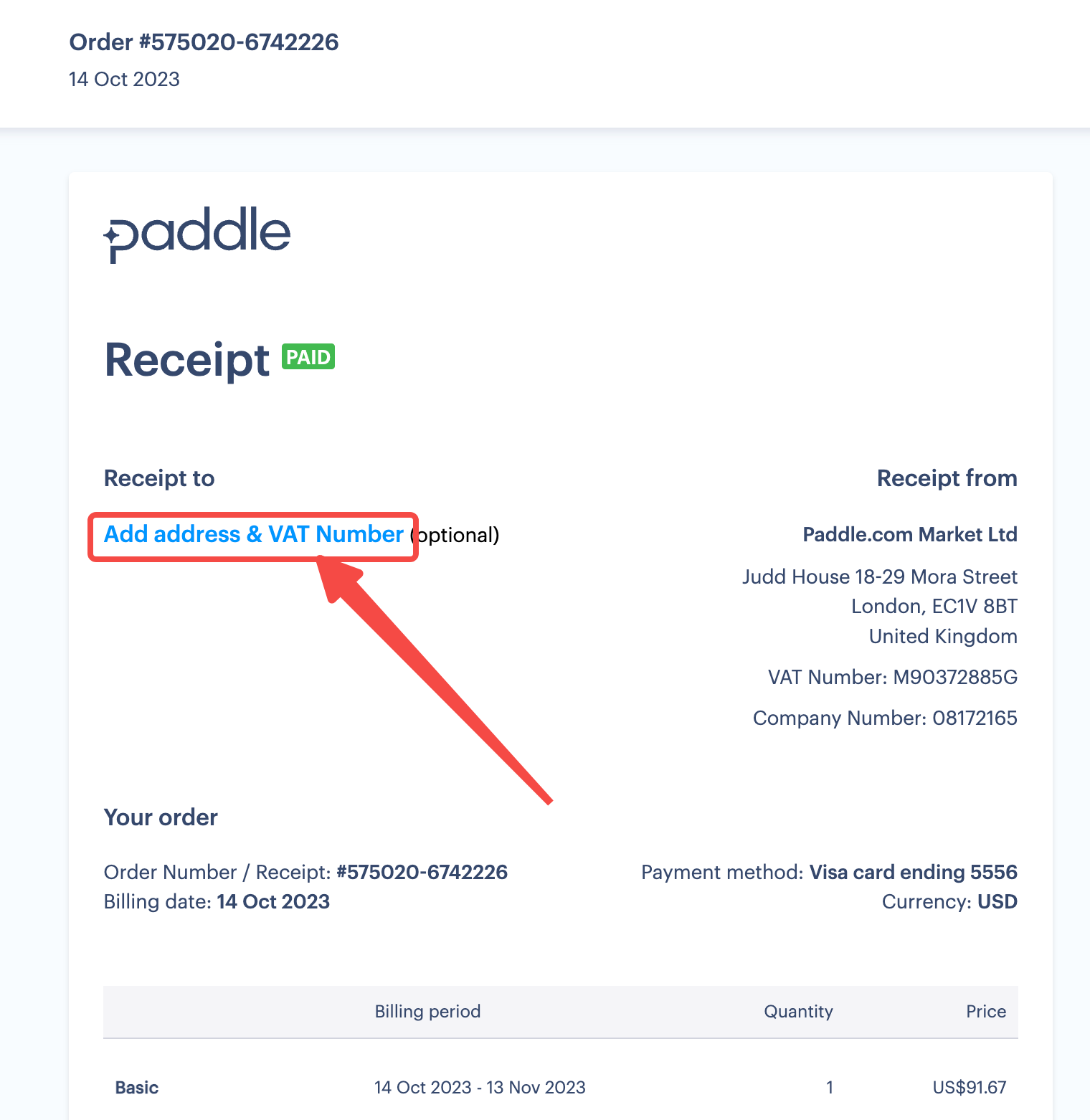
Step 4: Key in your Business GST/VAT number into the receipt
- Input your business details into the add address & VAT number field
Step 5: Receive your tax refund
- Instantly receive your tax refund upon entering your valid address and VAT number.